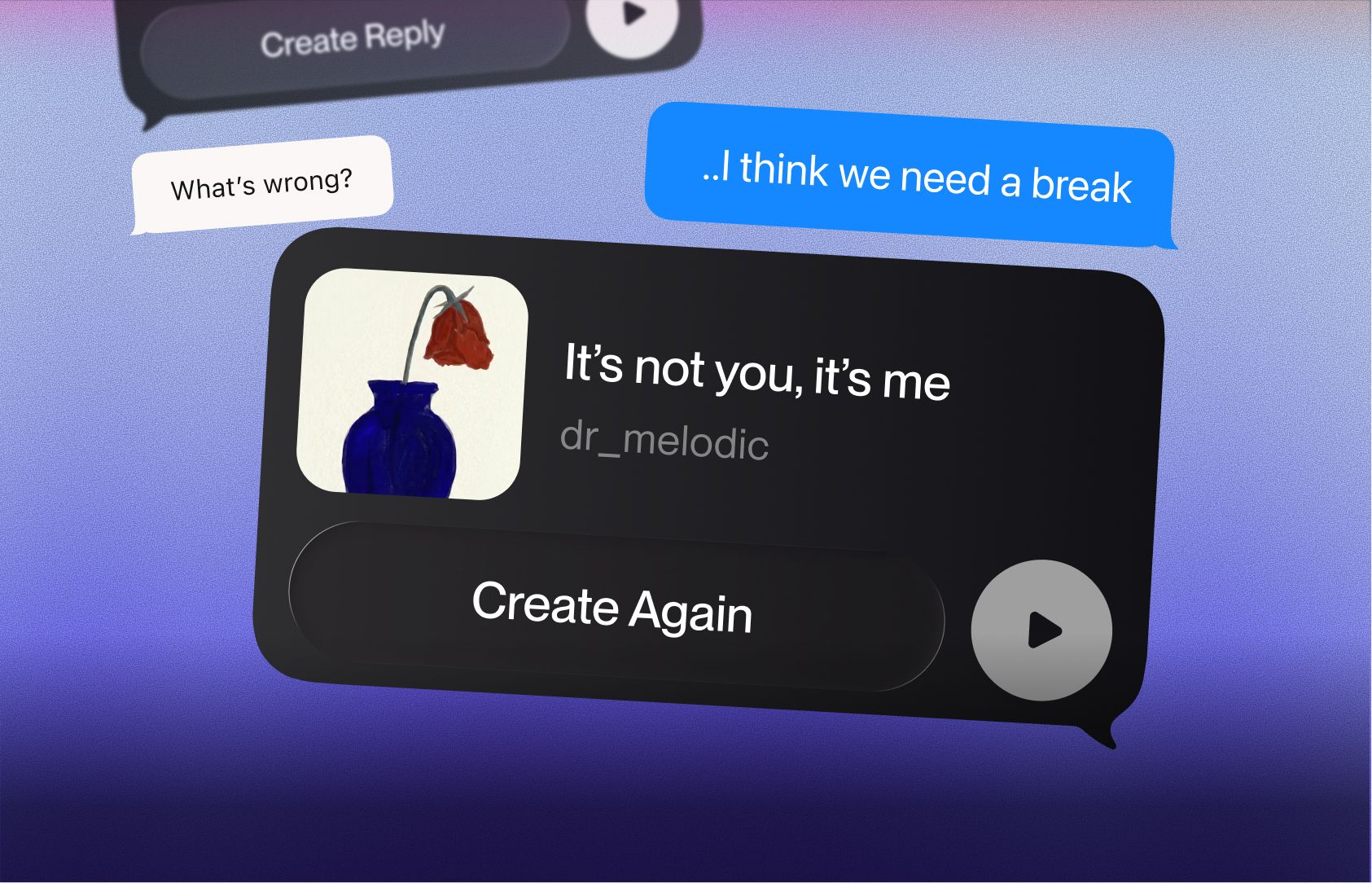
What’s New

Mobile App Improvements

The mobile app just got better.

We just rolled out a fresh set of updates across the app to make creating, discovering, and customizing your experience on Suno even better!

Home and Discovery

  • Modernized UI for a cleaner, more up-to-date feel
  • Explore Refresh to make it easier to find songs you’ll like and curated playlists

Create

  • Vocal Gender so you can choose male or female vocals, just like on web
  • Memory so Create remembers your last prompt for easier iteration
  • Lyrics Model Selector so you can choose between our lyrics models

Profile

  • Pin Favs with Caption to pin up to 5 songs with a caption for others to play and remix
  • Manage Profile to upload a cover image, edit your bio, and add social links
  • Playlists on Profile so your playlists now appear on your profile

Android Auto and CarPlay Integration

Suno is now available on Apple CarPlay and Android Auto.

Here’s what you can do:

  • Stream Suno songs directly from your dashboard
  • Browse your library
  • Control playback in your car’s native interface

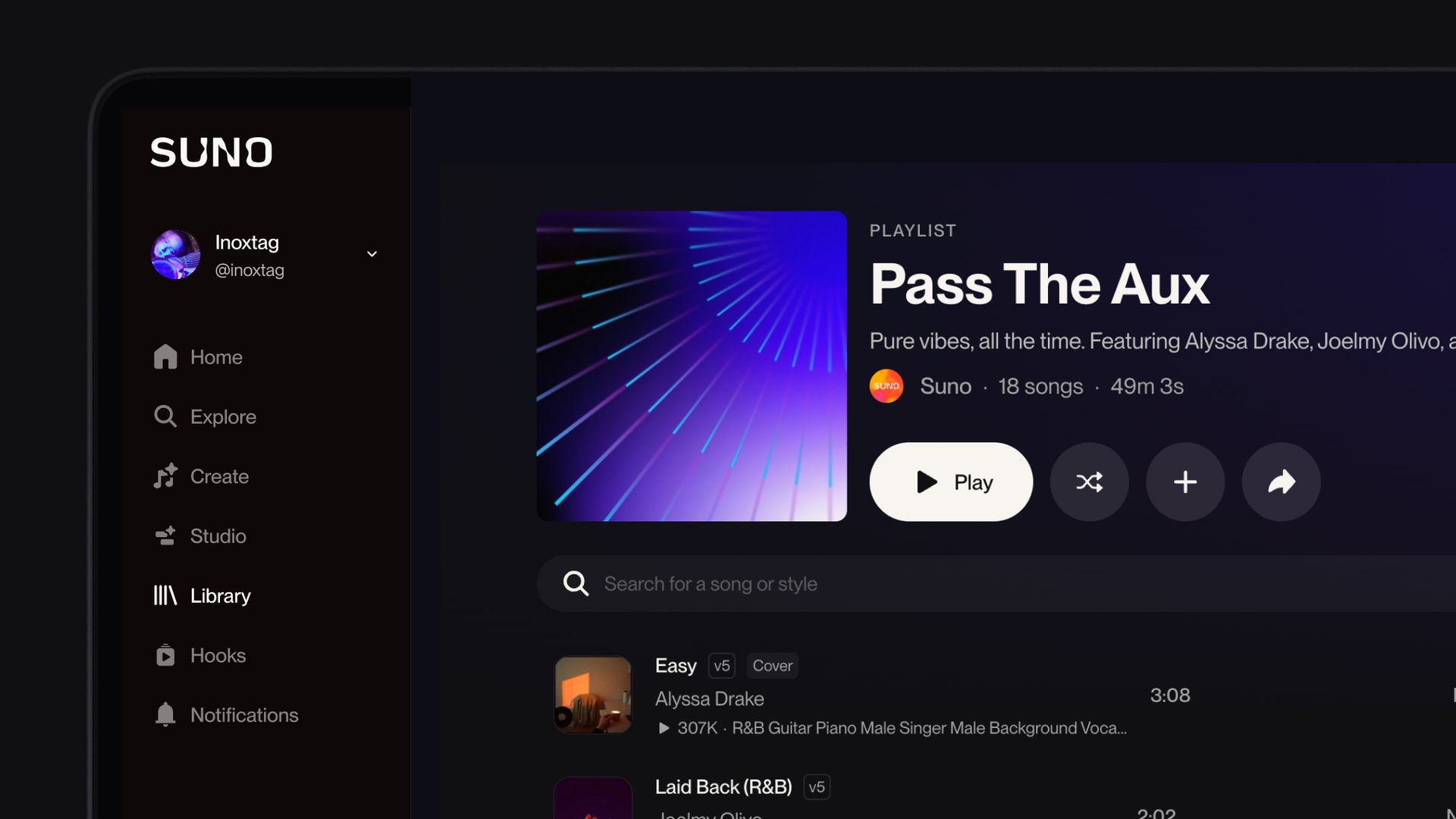
To kick things off, we made a playlist for your next drive. Check it out.

Introducing v5.5: Voices, Custom Models, and My Taste

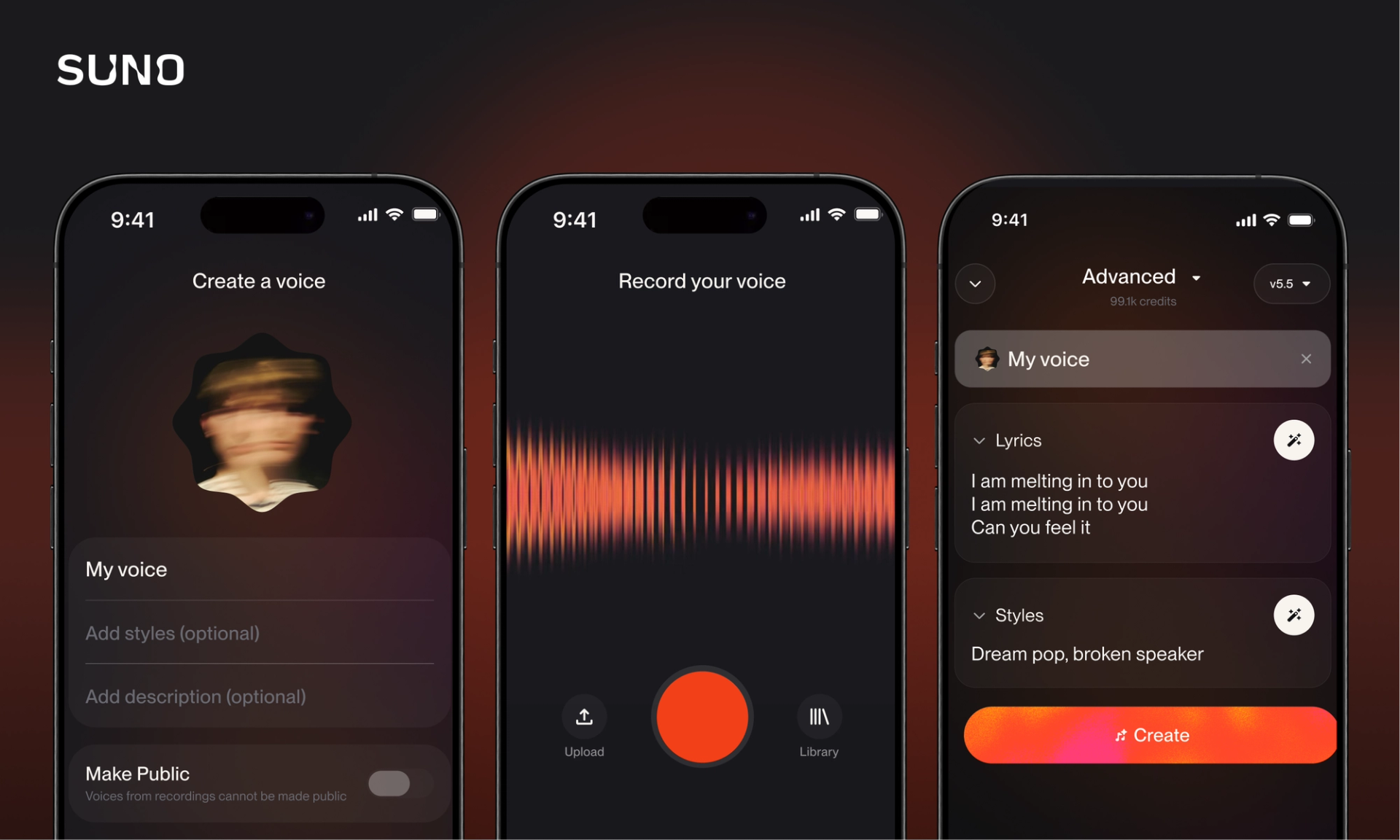
Today we launched v5.5, our best and most personal model yet. It powers three new features: Voices, Custom Models, and My Taste.

  • v5.5 Our newest model — richer arrangements, sharper vocals, and more dynamic sound across every genre.
  • Custom Models Upload at least 6 tracks from your catalog to train a personalized version of v5.5 that knows your sound.
  • Voices Record or upload your own audio and Suno will let you sing on your creations. No studio or mic setup required.
  • My Taste Suno learns your go-to genres, moods, and references over time, then applies them whenever you use the Magic Wand.

We hope you enjoy the new features — can't wait to hear you on Suno.

[@portabletext/react] Unknown block type "featureList", specify a component for it in the `components.types` prop

Studio just leveled up

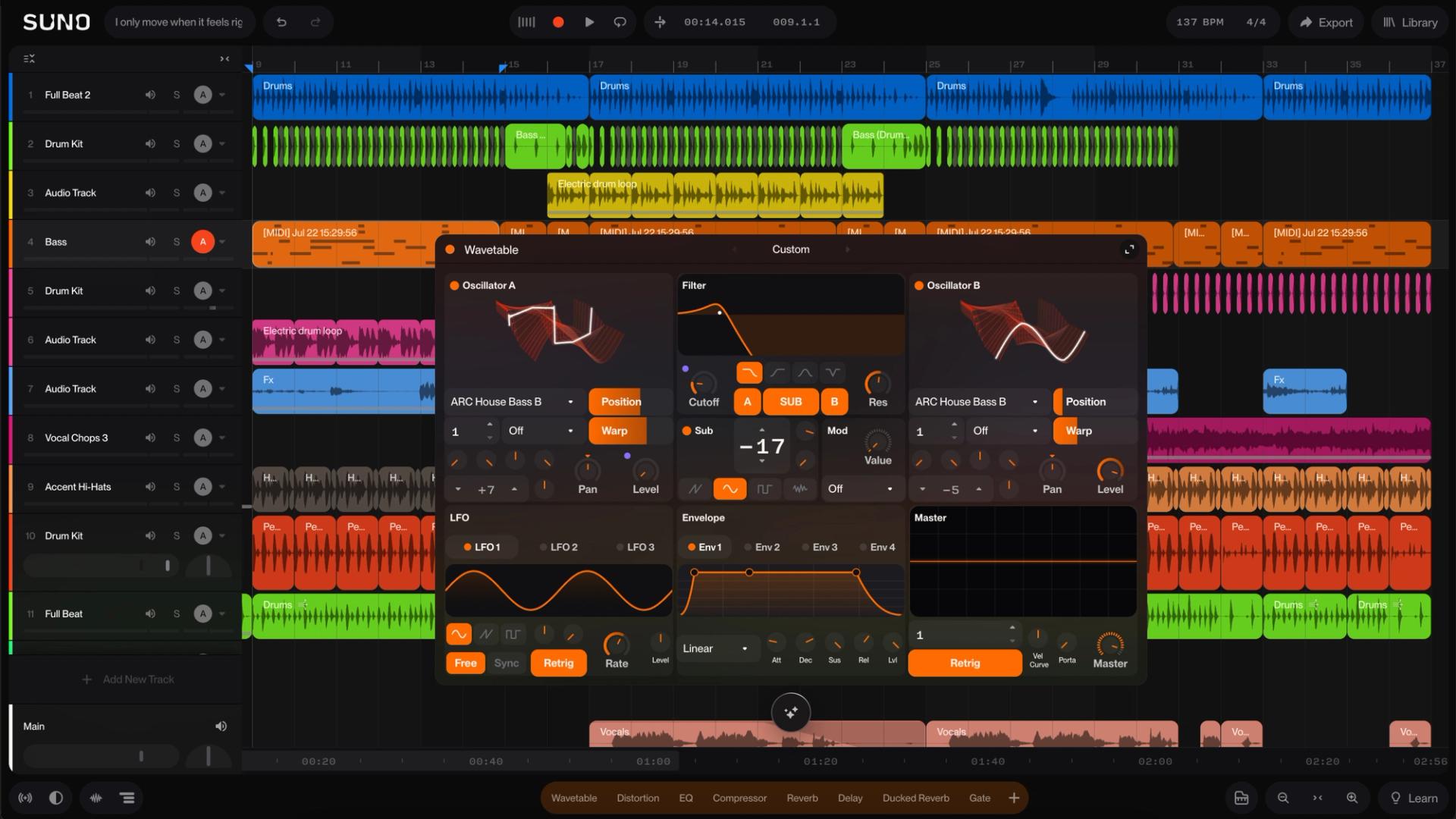
Studio 1.2 is an update that brings innovative pro-level features to Suno and gives you even more control over your creation process. With features like Remove FX, Warp Markers, Time Signature Support and Alternates, you can reach your vision faster, with fewer barriers and way more fun.

Make loops and samples from scratch with Sounds

Sounds is a new Create mode that lets you create individual one-shot samples and loops from scratch.

Need an airhorn sample, glass smash or airplane for your track, or footsteps for your foley project? We’ve got you covered — choose ‘one-shot’, type your prompt and hit Create.

Want a specific loop, like a guitar riff, a bassline or synth lick to start an idea, or add to an existing Studio session? Choose loop, select your key and tempo (bpm) and describe the sound you want.

To try it for yourself, go to Create, choose Sounds from the Custom dropdown and make that sound you hear in your head come to life. (Pro or Premier subscription required.)

Meet our new Create features: Sample + Mashup

We just dropped two new features: Mashup and Sample, which give you a ton of options when you want to take your songs to new places.

Mashup lets you combine any two songs, mash them together and come up with something totally unique. Try blending two similar tracks to make a new version that borrows elements from both. Or choose two totally different tracks to get happy accidents beyond your wildest imagination.

Sample lets you select a section of sound as the jumping off point for new ideas. Whether it’s a snippet from a Suno song, a melody in your voice memos or something you heard and loved out in the world… chop it up and drop it into the Sample feature.

To access the new features, right-click on any sound in Suno, then choose Mashup or Use as Sample from the Remix/Edit options.

v4.5-all: A new free model for everyone

v4.5-all is here because we believe that everyone should have access to tools that unlock their musical potential. This model delivers the sound your ideas deserve — richer, fuller, more dynamic — and it's free for anyone who wants to create. The only limit is your imagination. Start creating with v4.5-all and share your songs with us.

Introducing Suno Studio

Available for Premier subscribers, Suno Studio is the first-ever generative audio workstation. It’s the creative workspace you’ve been waiting for: built for real experimentation, fast iteration, and pure fun.

  • Start with any audio → Upload samples, pull from your Suno library, or break things down into stems.
  • Create infinite stem variations → Instantly generate vocals, drums, synths, and more that flow with your audio.
  • Edit in a multitrack timeline → Arrange, layer, and refine with precision. Control BPM, volume, pitch, and more.
  • Export everything → Send stems out as audio or MIDI and pick up right where you left off in your DAW.

Whether you’re starting fresh with a prompt or building on something you’ve already made, Studio gives you the freedom to push your sound further—with fewer barriers and more ways to play.

Introducing v5 - the world's best music model

Here’s what’s better :

  • Clearer, more immersive audio
  • Natural, authentic vocals
  • More creative control over every element
  • Better genre understanding and mixing

Plus, you can remaster your old tracks with v5 and control the level of variation from the original song.

v5 isn't just about better music today. It's the breakthrough technology that powers everything we're building next. This is just the beginning…

Introducing Hooks!

Introducing Hooks — a new way to bring your Suno songs to life through short-form music videos. Your creativity shouldn’t be limited to audio alone. With Hooks, every song becomes a visual story your audience can see as well as hear. Hooks are free to create — they don’t cost credits — and while Suno doesn’t generate the video for you, we make it easy to pair your own video with any of your Suno songs or remixes to create engaging, shareable content. When you discover a Hook that moves you, the journey doesn’t end there: you can remix that track to create your own unique version, then make a Hook of the remix. Ready to make your music move?

Listen and Rank, Earn Free Credits! 🎵

Help shape Suno's future by using Listen & Rank, a new feature to rate clips by other creators and get rewarded for sharing your musical taste. Every rating you give helps us improve our models and gets you closer to more free generations. It's a win-win – better music for everyone and extra credits for you!

🚨A whole new level of creative control.

  • Song Editor: you can reorder, rewrite, and remake your track section by section, directly from the waveform.
  • Stem Extraction: splits your track into up to 12 clean stems—vocals, drums, bass, and more—ready to preview and download.
  • Extended Uploads: lets you bring in full songs (up to 8 mins) and start building from your own sound, whether it’s a finished track or a single riff.
  • Creative Sliders: you can fine-tune how weird, structured, or reference-driven your generations get—so every track lands how you want.


Available now on Pro & Premier.

Remix any track across Suno 🎶

With Remix, you can flip tracks from across Suno, not just your own.

Tap the ‘...’, choose Cover, Extend, or Reuse Prompt to make it yours.

See every remix made from a track, trace originals, and control if your songs can be remixed.

v4.5 levels up creativity. 🔥

Here's what's new:

  • Greater variety and accuracy in genres — More music styles with better genre quality
  • Richer vocals — Enhanced vocal range with greater emotional depth
  • More complex sounds — Subtle musical elements are captured from tone shifts to instrument layering
  • Smarter prompt interpretations — Your ideas come to life more accurately
  • Prompt enhancement helper — Simple genre tags can expand into detailed descriptions
  • Upgraded cover + personas — Covers now keep more melodic details with improved ability to switch genres
  • Faster creation — Speed is substantially improved for your creative process

Available to Pro and Premier users

Looping video song art is here 🎬

Go to your Library → click the three dots → Select ‘Song Details’ → Upload a Video. Make sure it’s 10 seconds or less, 9:16, MP4, and 720px tall. Hit save and watch your track come to life on web and mobile.

Comments are here!

Hype up your friends, give props where they’re due, or start a lyrical debate—the floor is yours. Now on web + iOS (Android coming soon!). 🚀

💬 Comment on songs and reply

🎛️ Control your space—turn off or delete comments

⚡ Keep it respectful—read our community guidelines

🚨 See something off? Report it to help keep Suno safe

🚨 Extend is live on iOS!

Expand your favorite track moments and make your sound hit even harder—Covers & Personas coming soon.

Android users stay tuned, we won’t leave you hanging...

🚨 New feature just dropped: Workspaces

You’ve been knocking at the door for a way to organize all your creations -- we’re answering the call. Explore Suno Workspaces and keep your catalog of sounds in order.

Here’s how it works:

1 - When you go to create your next song, look under the prompt box and click ‘Create a new Workspace’. From there you’ll be able to create, curate, and organize your songs. <br/>

2 - Any song you remix will automatically be saved to the same workspace as the original, but you can always move it if that doesn’t work for your curation style.

Tip: Multi-select songs by holding shift and clicking on several songs. Then right click to move songs in bulk to a workspace.

Suno is now available on Android 💚

Exciting news! Try v4 for *free* when you download the mobile app, now available on both iOS and Android!

Create music from anywhere and share with your friends, all from your mobile device!

This is the first version of Suno for Android. We wanted to get it into your hands quickly so you can start creating today. While this release includes our core features, we’re just getting started, and there’s much more to come! 💥

🚨 v4 is here! 🚨

Today, we’re thrilled to introduce v4—the next step toward enabling you to make music at the speed of your ideas. v3 opened new doors, and with v4, we’ve refined what worked and added even more. The result? Better audio, sharper lyrics, and dynamic song structures.

New features:

✨Remaster: Upgrade your tracks to v4 quality<br/>

📝Lyrics by ReMi: Creative, higher-quality lyrics to elevate your songwriting<br/>

🎨 Cover Art: Fresh designs to match your music’s vibe<br/>

<br/>

Popular features now supercharged by v4:<br/>

🎶Covers: Reimagine originals in new styles<br/>

🎭 Personas: Capture a track’s vibe and carry it into future projects<br/>

v4 is now available in beta for Pro and Premier members!<

Tag us in your songs at @sunomusic on X, Instagram and TikTok. We can’t wait to hear what you create!

Suno on Android is finally open to pre-registration! 🎉

The wait is almost over! We’re thrilled to announce that Suno is coming to Android! This is your chance to be among the first to experience Suno on your Android device.

Pre-register to get notified as soon as it’s ready. We’re so excited for you to join the Android community on Suno.

Introducing Personas 🎤

We’re excited to introduce Personas! Personas let you save the essence of a song - vocals, style, vibe - and reimagine it across your creations. Want to bring your favorite vocals or style into a new song?<br/><br/>

Here’s how

1 - Find a song you love. Click “...” then go to “Create” and “Make a Persona”.<br/>

2 - Toggle between Public and Private for your Persona. Public Personas can be used by others, will have their own page, and can be found in your library and profile.

3 - Add lyrics and style like you would any other song!<br/>

This feature is available to all Pro & Premier members in early-access beta. You get 200 free songs to make with Personas - after that, each new song made with Personas will cost 10 credits.

We can’t wait to see what you do with your Personas!

Introducing Suno Scenes! 📸

We’re excited to introduce Suno Scenes, a brand new way to create music. Now, you can turn your photos and videos into unique soundtracks. Whether capturing a beautiful landscape or a moment with friends, your memories can inspire your next song.

Available now on iPhone in the US only, with an international early-access release coming soon 👀.

Download Suno on iOS

Replace Section

Pro and Premier users can now Replace Sections of songs.

What You Can Do

1 - Change Lyrics: Perfect for tweaking the words in your song.

2 - Add Instrumental Breaks: insert an instrumental section like a guitar riff or a drum break.

How to Use It

1 - Access the Feature: Right-click on a song or click the vertical “...” to open the More Actions menu.

2 - Navigate to Replace Section: Go to Edit > Replace Section.

3 - Enter Edit Mode: You’ll be taken into Edit Mode with the song. Select the song portion you wish to recreate (must be 10-30 seconds long). Lyrics (if present) will automatically be populated into the Lyrics box.

4 - Update your Lyrics (if you wish): Update your lyrics or try typing [drum break]

Recreate the Section: Click the “Replace Section” button.

5 - Choose Between Sections: Two versions will be generated. Listen to both and click “Select” on the one you prefer.

6 - Select a Section: Once you select a section, you’ll be redirected to the Create page where a full song will begin generating automatically.

Tips for Effective Use

Here’s a walkthrough video:

Loom Walkthrough

Crop Songs

Pro and Premier users can now Crop Songs on Suno. Cropping allows you to keep a portion of your song and remove everything else.

How to use:

1 - Find a song you’ve created in your Library or in Create

2 - Right click or go into the More Actions menu

3 - Hover over “Edit” and click “Crop Song”

4 - Use the pink waveform selectors to pick the start / end of portion of your song you would like to keep

5 - Click “Crop Song”

6 - A new song will be added to Create and your Library

Also:

You can now Edit Displayed Lyrics from directly within Edit > Song Details.

Currently Crop Songs and the new Edit Details workflows are desktop-only. We are working to port these to tablet-web and mobile-web.

Exclude Styles

Pro and Premier Users can now Exclude Styles when creating new songs. This gives better control over specific attributes that you might want to exclude. Try excluding specific instruments, specific styles, or even specific vocal-styles.

Excluded styles will be shown in the Song Preview sidebar and on the Song Page. They will be listed in the Styles section with a "-" sign in front, indicating their exclusion (e.g., -piano).

How to Use:

1 - Go to Create and select “Custom”

2 - Pro and Premier users will find an “Exclude Styles” switch. Switch on.

3 - Enter any styles you wish to exclude in the new section that appears.

Early-Access Beta:

This feature is currently in **Early-Access Beta** only for Pro/Premier users. It helps us a lot if you like and dislike songs as you use Exclude Styles. Doing so is the best way to help us improve.

Tip:

Try prompting specific vocals (eg: female vocals) by including [female vocals] in the Lyrics section and excluding “male vocals” in Exclude Styles.

Have feedback? [Please write us here.](https://sunomusic.typeform.com/to/mZ4YXESF)

Covers - Reimagine the music you love

Covers (in early-access beta) is available to all Pro/Premier subscribers. Covers allow you to keep the melody of your songs but adopt them into a different style.

Cover Any of Your Own Songs By

1 - Finding songs in your Library or Create page

2 - Right click or click the vertical "..."

3 - Hover over Create > Click "Cover Song"

4 - Lyrics will automatically be pulled forward into the song you’re covering. For best results, keep lyrics the same to start. But you can change lyrics / add to them as you experiment.

**Your first 200 covers are free!** Once the initial 200 covers are used, each new cover generation will cost 10 credits, similar to generating new songs.

**Additional Creative Possibilities**

1 - Instrumental to Vocal: Some users have successfully used the Cover feature on an instrumental song and added lyrics to create a layered musical piece.

2 - Transform Audio Uploads: Try uploading a clip of your singing, humming, or playing an instrument and try covering.

Early Access Beta

We are working hard to make Covers better. In our internal testing, we’ve found that Covers will sometimes return the original song you’re covering. Your song feedback is the most critical part of this; **please thumbs up / thumbs down** so we can make Covers better. Thank you!

Your New Homepage

Meet your new, more personalized homepage!

What’s New:

1. Global Trending for a Global Community: Trending now showcases top tracks in multiple languages.

2. Learn About New Creators: Get recommendations for creators that match your style.

3. Playlists Just for You: Discover playlists that resonate with your musical taste.

4. Endless Exploration: Dive into an infinite scroll of new styles and sounds.

Want to listen to this update as a song?

Pro / Premier creators now get 50 credits per day

Effective immediately, all Pro/Premier creators will receive 50 free credits per day once all monthly credits have been completely used.

New song ideas available on Create

Want some fresh ideas for new songs? Visit Create and browse the “Need ideas?” section for suggestions. Just select a topic and fill in the blanks to personalize your song!

Instrumental and Vocal Stems

Pro & Premier users can now separate the vocals and instrumentals from songs, which will give you more control over how to use Suno.

How to use:

1 - Go to Library or Create, and click the vertical “...” on a song row

2 - Click “Get Stems”

3 - If you’re not there already, you’ll be navigated to the Create page where you can see two new clips that are generating. One will be the instrumentals, and the other will be the vocals

You can then download or extend each individual clip. Have feedback on V1 of Stems? Please tell us what you think by filling out this form: https://forms.gle/xWmRmzHQrn8Bmrzu9

Edit Lyrics are available from within the Song Page

How to:

1 - Open up any song you’ve created (by clicking on the Song through Library or Create)

2 - Scroll down to the bottom of the page, and click “Edit Displayed Lyrics” to make edits

3 - To save your changes, just click anywhere on the page, or click on the “Save” button

Please note that editing Lyrics will not update the lyrics sung in the song.

Have feedback on this feature? Please tell us what you think by filling out this form: https://forms.gle/xWmRmzHQrn8Bmrzu9

User Search and Jump-to- Library Pages

User-search has arrived. Click on Search and select "Users" to try it, or click here to do your first user search: https://suno.com/search?type=user&q=ka

For those who have created many songs: click on the Page Number to enter a page number and jump to that specific page.

Suno has a new look

We’re thrilled to unveil the new look of Suno.com! In the coming weeks, we’re focusing on making it easier for you to create and organize your songs. Expect new, better workflows (small and large) and enhanced usability across the platform.

Stay tuned for more updates, and thanks for being part of our journey – the best is yet to come!

Suno is on iOS 📱🚀

We’re excited to present Suno on iOS.

🎵 Make songs from text (lyrics and descriptions)

🎤 Make songs from your own audio (including free tier)

👂 Listen and curate music you love from other creators

The Suno mobile app is currently only available in the US, but stay tuned for Android, a global rollout, and a lot of fun updates soon. We can’t wait to listen to the music you’ll create!

Audio Inputs for Everyone

Audio Input is now available to everyone, including those with free accounts!

How to use:

1 - Navigate to the “Library” or “Create” page and click “Upload Audio”

2 - You can record audio OR upload an audio/video clip. Clips should be between 6 - 60 seconds in length

3 - Once uploaded, choose “extend” from the uploaded clip. Choose a time stamp to extend from, provide a genre, and include your own lyrics if desired

If you’re looking for inspiration, we made a playlist of some of our favorite inputs from the community. Listen to them here.

If you’d like to experiment with Inputs others have uploaded, we've assembled a list of clips from the community. Try to Extend from them here.

Following Feed

Stay up-to-date with the latest songs from artists you follow. Visit your feed by going to https://suno.com/feed or clicking Go to feed in the Following section on the homepage.

Not following anyone? Follow artists by going to their profile and clicking Follow.

Audio Inputs

We are excited to release our Audio Input feature, where you can make a song from any sound! All Pro & Premier users can now upload or record their own audios to make any song you can dream of.

How to use:

1 - Navigate to the “Library” or “Create” page and click “Upload Audio”

2 - You can record audio OR upload an audio/video clip. Clips should be between 6 - 60 seconds in length

3 - Once uploaded, choose “extend” from the uploaded clip. Choose a time stamp to extend from, provide a genre, and include your own lyrics if desired

Song Radio

Introducing Song Radio! Now, by just clicking on ... of any song, you can start a Song Radio that plays a continuous stream of similar tracks. Dive into a seamless listening experience tailored to your taste.

Try It Now: Experience Song Radio with this specially curated selection: Try listening to this song radio here.

As you explore new songs, please let us know what you think by giving songs a thumbs-up or thumbs-down. Your feedback helps us improve.

Suno playlists are searchable

Looking for inspiration, or some new music to listen to? Search playlists by title and description.

Try it out here: https://suno.com/search?type=playlist&q=math%20rock

v3.5 is Available to Everyone

A big thank-you to all of the Pro and Premier members who used v3.5 over the last week. Today, we’re excited to announce that we’re releasing v3.5 to everyone! Now everyone can:

Generate 4-minute songs. You can now get your full song in a single generation! The number of credits it takes to create a song remains unchanged.

Create 2-minute max song extensions.

Experience improved song structure and vocal flow.

We are defaulting new song generations to use Suno v3.5, but in case you want to use another model, we’ll remember your selection for future songs.

Your feedback is important to us, and helps us improve Suno for you over time. So please continue to give us feedback by upvoting 👍 songs you like and downvoting 👎 songs you don’t.

Thanks, as always, for your support. :heart: Team Suno

🔎 Explore Styles and Search Through your Library

Explore Styles

Have a musical style you really like? You can now click through Styles on songs to view other songs with the same style. Styles can be explored from the Homepage, from Playlists, and also from within the expanded view of individual Songs.

Library Search

We launched Public Song Search last week, and now we’ve launched Library Search! You can now search through the songs you created! In your Library, search across your songs:

1️⃣ Song Titles: Search for specific titles you’ve created, like “My First Suno Song”.

2️⃣ Style: Find music by genre, mood, or any other style you’ve used to describe your music, like "Punk” or “Lo-fi”.

3️⃣ Lyrics: If you can’t remember the title or style of a song you made, but remember that it’s about “grapes” – you can search by that, too.

v3.5 Early Access (4-minute songs)

v4 is cooking. In the meantime, we are rolling out early access to v3.5, which is now available to Pro and Premier members!

v3.5 is an updated version of v3, with the following improvements:

- 4-minute max clip length. You can now get your full song in a single generation!

- 2-minute max song extensions

- Improved song structure and vocal flow

Pro and Premier members will be able to select between v3.5, v3 and v2 for your generations, using the version dropdown. Pro and Premier members will also be able to generate and download audio in .wav format. v3.5 will be available to free users as early as next week.

Please give us feedback by upvoting 👍 and downvoting 👎 to help us improve your experience. We especially appreciate downvotes on clips with bad audio quality. If it hurts your ears, let us know with a thumbs down!

🖼️ Customize Images (Pro and Premier)

Pro and Premier Members now have the ability to upload profile, cover, and playlist images, as well as re-generate images via prompts. We can't wait to see what you come up with! 🎨

We’ll be shipping many updates across the entire app over the next few weeks and months - stay tuned!

Thanks as always for your support!

Better Mobile Creation and Navigation

We’ve simplified the creation and navigation experience on mobile to make it easier to create from any page, have more space for custom lyrics, and see songs as they are loading. 🎶

Follow the Creators You Love

Connect with your favorite creators on a deeper level. Now you can follow them directly on their profiles, and your fans can follow you too. You can see who you follow and who is following you in your Library. 🤝

Profiles

We’re also excited to introduce Profiles, the new home for you and all of the songs you’ve created with Suno! Click the yellow banner at the top of https://suno.com/ or follow these steps to choose a display name and claim your handle:

1️⃣ Sign in, and click your avatar in the bottom left on desktop or the menu icon in the bottom right if you’re on mobile

2️⃣ Click Edit Profile

3️⃣ Choose your public display name (e.g., The Prompt Whisperer). We randomly generate a display name and handle for you to start, but you can change them anytime!

4️⃣ Claim your handle (e.g., @promptwhisperer), which will appear in your profile’s URL (e.g., suno.com/@promptwhisperer)

5️⃣ Click Save. You can now share your Suno creations with the world more easily 🥳

Explore (Beta)

You may have noticed the shiny “Beta” tag on the homepage. Our first dedicated listening experience is now live here: https://suno.com/explore

It skews exploratory, and the beta version focuses on styles of music uniquely possible with Suno. What will you create?

Home Page

We added dynamic categories of music to the new homepage so you can more easily explore the best songs from the community. Categories include New, Trending and Liked, a custom playlist including all of the songs you’ve liked on Suno. You’ll also find some hand-picked favorites in Suno Showcase!

We’re going to continue to experiment here, so check back regularly to discover more songs, categories and future classics from your fellow creators. If you make our songs public, maybe you’ll find your own masterpiece topping Trending!

Playlists

You can now create and curate Playlists in your library!

  • Use playlists to organize your library, create listening experiences, and save songs that you discover on Suno.
  • You can share playlists using their link. Only people with access to the link can see a playlist.
  • Multi-select actions - You can select multiple songs and add them to a playlist (or move them to trash)
  • Miscellaneous accessibility fixes

V3 Alpha Access for Pro & Premier Members

V3 is coming soon, and we believe it has the potential to redefine the state-of-the-art for generative music. We need your help testing our new model before we release it to the full community, so we're sharing access to an early version of V3, V3 Alpha, with you and other Pro and Premier members.

V3 Alpha features

V3 Alpha has better audio quality and increased expressiveness among other heavily requested features:

⏲️ Extended max clip length of two minutes

🚀 Faster song generation

🎸 Dedicated instrumental support

🌍 Expanded language support

➡️ Continue from anywhere (backward compatible with songs you made with V2)

How to use V3 Alpha

We think V3 Alpha creates more realistic, authentic music, but we want to know what you think! Follow these steps to test V3 Alpha:

1. Go to https://app.suno.ai/create/

2. Change V2 to V3 Alpha. You can go back to using V2 anytime during the alpha access period by switching back to V2 from V3 Alpha.

Please like (👍) and dislike (👎) songs that you like and dislike. This is the fastest, most direct way to help us improve V3, but you can also share feedback with @suno_ai_ on X.

A word of caution

V3 is still under development, and the early version we're sharing today still has weaknesses. V3 Alpha struggles to follow certain prompts like key signatures and BPM, and its songs don't always sound perfectly mixed and mastered. By popular demand, V3 Alpha can also make longer songs, but it can also be prone to hallucination — especially when fed short prompts.

You may need to prompt V3 Alpha differently than V2 for best results, and V3 Alpha will change without notice as we continue development and work toward a full release by making improvements in these areas. We look forward to hearing your feedback, and we hope you enjoy V3 Alpha!

Quality-of-Life Improvements

Hope everyone is having a great weekend! We released some quality of life improvements based on your recent feedback:

Deleting Songs

You can now delete songs using the Move to Trash button. To delete a song:

* Click the three dots / ellipses to the right of the song you'd like to delete

* Select Move to Trash

To view your Trash, click the `More Actions` button in your Library, and select `View Trash`. You can restore deleted songs to your Library, or you can choose to delete them permanently. To restore a song to your Library from your Trash, select the song in your Trash, and click `Remove from Trash`. To delete a song permanently, select the song in your Trash, and click `Delete Permanently`.

Random Style

We've heard people mention needing style inspo when making songs using Custom Mode. You can now generate songs with a random style by clicking on the Use Random Style button in Custom Mode.

Support

We are receiving a tremendous volume of emails, and we sincerely apologize for our delayed responses to emails you've sent to [email protected], [email protected], and [email protected]. We are scaling up our support function to help us respond to each and every one of your emails.

We will start onboarding this team on Monday (1/29). You can expect response times to start improving over the coming weeks, and we'll continue responding to as many emails as possible in the meantime. Thank you for your patience, and, once again, apologies for the current delay in response times.

Happy Holidays

Happy holidays all - we are grateful for the community's support as we round out the year.

We have a small patch with a few features:

*Continue Button** - When continuing from a clip, the "Create" button now reads "Continue"

*Continue Part Labels** - Clips which are continuations of other clips will show which part number they are, as well as highlight previous clips they were continued from.

*Make a Holiday Song** - A limited-time mode for the holidays (meant to be fun and whimsical and not necessarily peak music)

We've given all existing accounts 50 extra credits - thanks for all your support! More quality-of-life changes will be coming soon.